

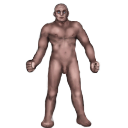



Character
| Game | Tales of Maj'Eyal: Age of Ascendancy 1.7.6 |
| Addons | Escorts Enhanced 1.7.0Various enhancements to escort quest NPCs: Items Vault 1.7.6Donators/Buyers bonus! Notes to Self 1.7.0Allows you to add notes to a character which will be displayed just after you load it, as a reminder of anything you want to remember next time you play the character. Useful if, like me, you have several characters going at once. The Character Notes dialog is initially bound to Also available as part of the ZOmnibus Addon Pack and ZOmnibus Lite. Frequently Asked Questions: Possessor Bonus Class 1.7.4Donators/Buyers bonus! Timed Rest 1.7.0Adds a new command 'Rest for a specific number of turns', initially bound to Also available as part of the ZOmnibus Addon Pack and ZOmnibus Lite. Myth's Tactical Borders 1.5.9This addon replaces the default tactical borders with a verson that more clearly shows the healthbars while making target identification quick and easy. +++ This addon only works for new characters, unless you edit your save file+++ Instructions for save file editing: Locate your save folder - (Generally in C:\users\*username*) ( The name of you save folder inside your *username* directory is T-Engine ) BACKUP YOUR T-Engine folder TO A SAFE LOCATION - ( You can copy and paste it on your desktop ) Inside your *username* directory, open your T-Engine folder Locate the line that looks like the following: Add inside the { } the following 'myth-minimalist-ui' so that it now looks like: ( Keep in mind the above will look different based on what addons you have installed ) Save your desc.lua and exit the file. Go to Landmark 1.7.4Adds a new game menu option "Show known Landmarks", which presents a list of landmarks (up/down stairs, golden chests, zone entrances and the like) that you've seen on the current level and allows you to go to them or view them on the map. You can also set your own landmarks for later reference by right-clicking on the map and choosing "Set landmark". Also available as part of the ZOmnibus Addon Pack and ZOmnibus Lite. Enhanced Object Compare 1.7.0Improves the "Press
Also available as part of the ZOmnibus Addon Pack and ZOmnibus Lite. Faster Run/Rest/Explore 1.0.6Important: this addon will have no effect if left unconfigured! Please read the description! Recommended settings:hit escape -> video options
Description:Enables faster run/resting by use of FPS dividers. These dividers simply divide the game's requested FPS by their respective values while resting or running. After starting a new game or loading a saved character, configure this addon by hitting escape -> video options. Setting these dividers to something greater than one can substantially reduce the amount of time required to finish resting/running on older computers. Just be careful when resting on an escort mission... Changelog:See the forum discussion for the changelog. Myth's Minimalist UI 1.5.10This addon changes several user interface elements to provide a more open and cleaner overall appearance.
+++ This addon only works for new characters, unless you edit your save file+++ Instructions for save file editing: Locate your save folder - (Generally in C:\users\*username*) ( The name of you save folder inside your *username* directory is T-Engine ) BACKUP YOUR T-Engine folder TO A SAFE LOCATION - ( You can copy and paste it on your desktop ) Inside your *username* directory, open your T-Engine folder Locate the line that looks like the following: Add inside the { } the following 'myth-minimalist-ui' so that it now looks like: ( Keep in mind the above will look different based on what addons you have installed ) Save your desc.lua and exit the file. Better Item Description 1.7.4This addon makes items description easier to read and determine on a glance it's usefulness Most important thing to remember it's not recommended to use this mod if you'r new to the game Improved Auto-explore and Rest 1.7.2Quality of Life improvements for resting and auto-exploring. v3.5.0 *** FOR ToME v1.6.5 *** It is recommended to turn off Marson's Rest and Auto-Explore as well as C.Lowe's Rest Tweaks if using. This addon is meant to include all of them. Latest Update Notes: Existing Features: Determines how auto-explore and running respond to telepathy, including mouse moves. Regardless of the setting, hostiles seen via telepathy will not halt resting or the Rod of Recall, nor trigger automated talents. Unique or powerful monsters (rank > 3) will always trigger a halt to running when they are spotted via telepathy for any mode except 'Original'. Available modes: • 'Always Viligant' always stops running when a hostile creature is seen via telepathy. • 'Original' is standard ToME auto-explore behavior, which ignores telepathy when running or auto-exploring. • Compatible with ToME v1.6.0 Notes: • Telepathy will not prevent auto-exploring the way normal sight will. If a halt is triggered by telepathy, hitting auto-explore again will move you at least one more square in the direction of the auto-explore path. If in 'Always Viligant' mode and a hostile is within telepathic sight (but not normal sight), you will auto-explore in 1 square per keypress increments. Showing Items Tier in Inventory 1.7.2This addon add a column to inventory which show items Tier and allows sorting to show higher Tier first There is an option under "Game Setting"->UI->Sort Items by Tier by default items which is going to be transmo- and of type scroll (rune,infusion..), tinker or other without Tier specified will be placed at the top of the inventory to avoid occasional transmo of valuables This mod is safe to use without starting new game |
| Campaign | Maj'Eyal |
| Mode | Normal Adventure |
| Sex | Male |
| Race | Cornac |
| Class | Brawler |
| Level / Exp | 1 / 0% |
| Size | medium |
| Lifes / Deaths | no deaths recorded 1 / 0 |
Primary Stats
| Strength | 13 (base 13) |
| Dexterity | 13 (base 13) |
| Constitution | 10 (base 10) |
| Magic | 10 (base 10) |
| Willpower | 10 (base 10) |
| Cunning | 13 (base 13) |
Resources
| Life | 120/120 |
| Stamina | 100/100 |
| Healing Factor | 1 |
| Regeneration | 0.25 |
Speed
| Mental | 0% |
| Attack | 0% |
| Movement | 0% |
| Spell | 0% |
| Global | +100% |
Vision
| Sight | 10 |
| Lite | 3 |
Offense: Barehand
| Damage | 8 |
| Accuracy | 8 |
| Crit Chance | 2% |
| APR | 3 |
| Speed | 1.00 |
Offense: Spell
| Spellpower | 10 |
| Crit Chance | 1% |
| Speed | 1 |
Offense: Mind
| Mindpower | 12 |
| Crit Chance | 1% |
| Speed | 1 |
Defense: Base
| Armour (hardiness) | 3 (30%) |
| Defense | 5 |
| Ranged Defense | 5 |
| Fatigue | 7 |
| Physical Save | 8 |
| Spell Save | 7 |
| Mental Save | 8 |
Defense: Immunities
| Instadeath Resistance | 100% |
Inscriptions (3/3)
| Infusions | Effective talent level: 1.0 Infusion: RegenerationUse mode: Activated Range: melee/personal Cooldown: 10 Travel Speed: instantaneous Usage Speed: Standard (100% of a turn) Is: a nature gift Description: Activate the infusion to heal yourself for 100 life over 5 turns. |
| Infusions | Effective talent level: 1.0 Infusion: WildUse mode: Activated Range: melee/personal Cooldown: 14 Travel Speed: instantaneous Usage Speed: Instant (0% of a turn) Is: a nature gift Description: Activate the infusion to cure yourself of one random physical effect and reduce all damage taken by 14% for 4 turns. Also removes cross-tier effects of the affected types for free. |
| Infusions | Effective talent level: 1.0 Infusion: HealingUse mode: Activated Range: melee/personal Cooldown: 12 Travel Speed: instantaneous Usage Speed: Instant (0% of a turn) Is: a nature gift Description: Activate the infusion to instantly heal yourself for 50 then cleanse 1 wound, poison, and disease effect. |
Class Talents
| Cunning / Tactical | 1.30 |
| 0/5 |
| 0/5 |
| 0/5 |
| 0/5 |
| Technique / Finishing moves | 1.30 |
| 1/5 |
| 0/5 |
| 0/5 |
| 0/5 |
| Technique / Grappling | 1.30 |
| 1/5 |
| 0/5 |
| 0/5 |
| 0/5 |
| Technique / Pugilism | 1.30 |
| 1/5 |
| 0/5 |
| 0/5 |
| 0/5 |
| Technique / Combat veteran | 1.00 |
| 0/5 |
| 0/5 |
| 0/5 |
| 0/5 |
| Technique / Combat techniques | 1.30 |
| 1/5 |
| 0/5 |
| 0/5 |
| 0/5 |


Generic Talents
| Cunning / Survival | 1.00 |
| 0/5 |
| 0/5 |
| 0/5 |
| 0/5 |
| Technique / Unarmed training | 1.30 |
| 0/5 |
| 0/5 |
| 0/5 |
| 0/5 |
| Technique / Combat training | 1.00 |
| 0/5 |
| 1/5 |
| 0/5 |
| 0/5 |
| 0/5 |
| 0/5 |
| Technique / Conditioning | 1.30 |
| 0/5 |
| 0/5 |
| 0/5 |
| 0/5 |
| Technique / Mobility | 1.30 |
| 0/5 |
| 0/5 |
| 0/5 |
| 0/5 |


Effects
Quests
Explore the caves below the ruins of Kor'Pul and the Trollmire in search of treasure and glory! Of trolls and damp caves* You must explore the Trollmire and find out what lurks there and what treasures are to be gained! * You must explore the ruins of Kor'Pul and find out what lurks there and what treasures are to be gained! | active |
Equipment
| Light source |  brass lantern brass lantern2.0 T1 lite [Normal] While equipped: ---------- misc Light +3 A brass container with a wick emerging from it, protected from draughts by a sheet of greased paper. It can be carried by a handle. |
| On hands |  iron gauntlets (0 def, 1 armour) iron gauntlets (0 def, 1 armour)1.5 T1 hands armor Reqs Heavy armour training [Normal] While equipped: ----- def ----- Armour +1 Fatigue +1% Unarmed combat: Power 8.0 - 11.2 Physical Uses 40% Dex, 40% Str, 40% Cun Acc+ +0.2% base dam (max 20%) Apr +3 Crit +2.0% Atk.spd 100% Metal gloves protecting the hands up to the middle of the lower arm. |
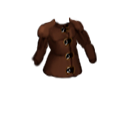
| Main armor |  rough leather armour (3 def, 2 armour) rough leather armour (3 def, 2 armour)9.0 T1 light armor [Normal] While equipped: ----- def ----- Armour +2 Defense +3 (+3 eff.) Fatigue +6% A suit of armour made of leather. |
Inventory
 Scrying Orb Scrying Orb1.0 orb [Plot Item] Unknown While carried: This orb will automatically identify items you find. |
 rough leather gloves (0 def, 1 armour) rough leather gloves (0 def, 1 armour)1.0 T1 hands armor [Normal] While equipped: ----- def ----- Armour +1 Unarmed combat: Power 7.5 - 8.2 Physical Uses 40% Dex, 40% Str, 40% Cun Acc+ +0.2% crit chance (max 25%) Apr +1 Crit +1.0% Atk.spd 125% Light gloves which do not seriously hinder finger movements, while still protecting the hands somewhat. |
 Transmogrification Chest Transmogrification Chest2.0 sher'tul chest [Plot Item] Unknown While carried: Transmogrify all the items in your chest at once (also done automatically when you change level). Uses 0 power out of 1000/1000 This chest is an extension of old Sher'tul places of power. Any items dropped inside are transported to an other place, processed and destroyed to extract energy. The byproduct of this effect is the creation of gold, which is useless to process, so it is sent back to you. When you possess the chest all items you walk upon will automatically be put inside and transmogrified when you leave the level. Simply go to your inventory to move them out of the chest if you wish to keep them. Items in the chest will not encumber you. |