

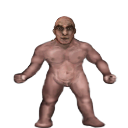


Character
| Game | Tales of Maj'Eyal: Age of Ascendancy 1.7.6 |
| Addons | Grey Out Unusable Items 1.7.2This addon shows inventory items in dark grey if they have a power source incompatible with your character. Arcane items are greyed out for antimagic characters, and arcane disrupting items are greyed out for characters with arcane abilities. Never accidentally break your spells again! Escorts Enhanced 1.7.0Various enhancements to escort quest NPCs: Improved Combat Text v2 1.6.0Description Original Improved Combat Text mod by Codefly This addon replaces ToME's floating combat text: Installation: Remove: or make it easy in game: :::::::::::::::::::::::::::::::::::: РУС ::::::::::::::::::::::::::::::::::: Описание Upd: Я просто исправил ошибки чекера. Мод корректно работает на новых версиях игры. Этот аддон заменяет всплывающий текст боя в игре: Установка: Удаление: или в игре: Cleaner Item Descriptions 1.7.0This is a fork of Better Item Descriptions that simply makes the tooltip larger and uses long phrases instead of abbreviations. If you hold ALT before mousing over an item, you can see its vanilla description. This mod is not meant for new players. If you ask what part of a description means, everyone gets to laugh at you. However, feel free to suggest better phrasing. Improved line-wrapping logic thanks to Joerle! Clean UI 1.7.2Replaces default interface styles with cleaner versions to enhance readability. First release focuses primarily on replacing everything related to the default interface styles in the base game. Future releases will enhance individual styles and take care of minor tweaks. Content consists of only graphic assets to try and have the highest possible compatibility with future patches. Easy Map v2 1.6.0Description Original Easy Map mod by Codefly This addon replaces ToME's map display with one that's more in-line with other games. You can drag the mouse to scroll, use the mouse wheel to zoom in and out, and left-click to set the currently viewed area (instead of accidentally traveling there, which can still be done via right-click menu). It also shows the viewport rectangle on the map, and if your computer is powerful enough, you can even show the actual terrain instead of the confusing color blocks, or make the walls red to easily find paths you have yet to explore. The player and zone exits are also displayed as icons on the map. Additionally, if you travel via the map and stop unexpectedly (i.e., you ran into your golem), a friendly dialog will pop up asking if you'd like to continue to your destination. Installation: Remove: or make it easy in game: :::::::::::::::::::::::::::::::::::: РУС ::::::::::::::::::::::::::::::::::: Описание Обновление: Я просто пофиксил чекер версии мода и убрал всплывающее окошко о новой версии игры и изменил цвет легенды на черный Мод заменяет карту игры на нечто более схожее с другими играми. Вы можете перемещать карту мышкой, приближать или отдалять карту колесиком и устанавливать текущий обзор левым кликом мыши (вместо того, что бы случайно переместиться туда, как было ранее). Карат способна отображать реальную местность ландшафта и окрашивать непроходимые места в красный цвет, что бы проще найти дорогу. Установка: Удаление: или в игре: Melinda on the Map 1.7.0Places the Sect of Kryl-Feijan event on the map as a zone entrance rather than an undetectable encounter. Lumberjack on the Map 1.7.0Places the Cursed Village event on the map as a lumberjack NPC rather than an undetectable encounter. A companion piece to Melinda on the Map and Merchant on the Map; they can be used together or separately. Merchant on the Map 1.7.0Places the Lost Merchant event on the map as a zone entrance rather than an undetectable encounter. A companion piece to Melinda on the Map; they can be used together or separately. Showing Items Tier in Inventory 1.7.2This addon add a column to inventory which show items Tier and allows sorting to show higher Tier first There is an option under "Game Setting"->UI->Sort Items by Tier by default items which is going to be transmo- and of type scroll (rune,infusion..), tinker or other without Tier specified will be placed at the top of the inventory to avoid occasional transmo of valuables This mod is safe to use without starting new game Always Transmogrify 1.7.4Removes the transmogrify confirmation dialogue box and additionally allows tagged objects to be transmogrified. Nekarcos's Quality of Life 01: Effect Display (GOLDEN) 1.7.6This is a stand-alone Quality of Life pack that improves some minor things about ToME gameplay.
Possessor Bonus Class 1.7.4Donators/Buyers bonus! Items Vault 1.7.6Donators/Buyers bonus! EquipDoll - Clean Item Names 1.7.2Makes clearer view of EuipDoll by replacing item egos list with actual name, and tuning a font a bit Post Effects fixes 1.7.2The addon improves gamefield view during different post effects Here is details about what been changed: Faster Run/Rest/Explore 1.0.6Important: this addon will have no effect if left unconfigured! Please read the description! Recommended settings:hit escape -> video options
Description:Enables faster run/resting by use of FPS dividers. These dividers simply divide the game's requested FPS by their respective values while resting or running. After starting a new game or loading a saved character, configure this addon by hitting escape -> video options. Setting these dividers to something greater than one can substantially reduce the amount of time required to finish resting/running on older computers. Just be careful when resting on an escort mission... Changelog:See the forum discussion for the changelog. Somebody shut that dog up 1.0.5Removes certain ambient sound effects: Friendly Patrols 1.7.4Changes Maj-Eyal & Far East world map patrols to always be friendly by altering their faction (and hate for arcane magic). Select your Escorts 1.7.0Allows you to choose which escorts you will encounter at the start of the game. There is an option to choose a random escort in case you just wanted to guarantee some unlocks before continuing with the base game's behavior. Note: You're only supposed to be able to choose the lost tinker once. (Must have the Embers of Rage DLC and unlocked by playing in the Orcs campaign) To reach me faster, please leave a message on the Steam Workshop page. I don't get notifications on te4.org so I may take longer to reply. Go to Landmark 1.7.4Adds a new game menu option "Show known Landmarks", which presents a list of landmarks (up/down stairs, golden chests, zone entrances and the like) that you've seen on the current level and allows you to go to them or view them on the map. You can also set your own landmarks for later reference by right-clicking on the map and choosing "Set landmark". Also available as part of the ZOmnibus Addon Pack and ZOmnibus Lite. Improved Enemy UI 1.7.41. improve the default shockbolt of enemy, making them brighter and easier to find. Turn Separators v2 1.6.0Description I just fixed OoDChecker. This was good idea with update mod in a time, but ... Original Turn Separators mod by Codefly Installation: Remove: or make it easy in game: :::::::::::::::::::::::::::::::::::: РУС ::::::::::::::::::::::::::::::::::: Описание Это моя улучшенная версия оригинального мода. Убрана проверка версии клиента. Замечали когда-нибудь, что новые строки в журнале битвы не всегда соответствуют концу своего хода? Этот мод помещает "------" между строками хода, что бы можно было легче визуально отделить минувшую очередь действий. Мод по прежнему добавляет разделитель между игровыми ходами для большей наглядности. Установка: Удаление: или в игре: Plenum Tooltip Custom Edit 1.7.4Plenum ToolTip Custom Edit: Enhanced Plenum tooltip display for ToME version 0.3 for ToME 1.6.1 This addon replaces the normal tooltip for actors in TOME with a more detailed description of monster abilities and characteristics. It adds to the standard tooltip detailed information on speed, main-hand, off-hand, and ranged damage, and damage modifiers and extra crit power, including damage penetration and damage affinities, plus retaliation damage, depending on what options are selected (from a tab in Game Options menu). This makes it much easier to inspect multiple monsters and quickly identify the most threatening. By holding a meta-key (ctrl, alt, or shift) and hovering the mouse over a monster, information on its status immunities and talents is displayed. In addition, information on temporary terrain features (like smoke and darkness) and map effects (from spells and the like) will be displayed in the terrain tooltip if the appropriate options are enabled. This addon is originally developed by Hachem_Muche and continued by sSs1897. version changes: version 2.7 for ToME 1.5.0: -- updated for cold flames custom edit version 0.1 for ToME 1.6.1: version 0.2: version 0.3: version 0.4: Better Item Description 1.7.4This addon makes items description easier to read and determine on a glance it's usefulness Most important thing to remember it's not recommended to use this mod if you'r new to the game Item Description Filter 1.7.4An item description filter. Can hide undesired properties in item description. Ctrl + Shift+ Alt + F to open configuration dialog. Opague Tooltips 1.5.5Tired of messy looking tooltips, or squinting when trying to read them? Squint no more!! This mod removes the transparency of the tooltips, making them easier to read! |
| Campaign | Maj'Eyal |
| Mode | Nightmare Roguelike |
| Sex | Male |
| Race | Dwarf |
| Class | Berserker |
| Level / Exp | 1 / 9% |
| Size | medium |
| Lifes / Deaths | Killed by orc soldier at level 1 on the 16th Voratun 122nd year of Ascendancy at 12:34 / 1 |
Primary Stats
| Strength | 19 (base 15) |
| Dexterity | 9 (base 11) |
| Constitution | 16 (base 13) |
| Magic | 8 (base 10) |
| Willpower | 13 (base 10) |
| Cunning | 10 (base 10) |
Resources
| Life | -5/144 |
| Stamina | 108/108 |
| Healing Factor | 1.0545771506545 |
| Regeneration | 0.26364428766363 |
Speed
| Mental | 0% |
| Attack | 0% |
| Movement | 0% |
| Spell | 0% |
| Global | +100% |
Vision
| Sight | 10 |
| Lite | 3 |
Offense: Mainhand
| Damage | 28 |
| Accuracy | 20 |
| Crit Chance | 2% |
| APR | 1 |
| Speed | 1.00 |
Offense: Spell
| Spellpower | 8 |
| Crit Chance | 1% |
| Speed | 1 |
Offense: Mind
| Mindpower | 13 |
| Crit Chance | 1% |
| Speed | 1 |
Defense: Base
| Armour (hardiness) | 6.3350939529706 (47.857809501309%) |
| Defense | 1 |
| Ranged Defense | 1 |
| Fatigue | 12 |
| Physical Save | 12 |
| Spell Save | 7 |
| Mental Save | 8 |
Defense: Immunities
| Instadeath Resistance | 100% |
Inscriptions (3/3)
| Infusions | Effective talent level: 1.0 Infusion: RegenerationUse mode: Activated Range: melee/personal Cooldown: 10 Travel Speed: instantaneous Usage Speed: Standard (100% of a turn) Is: a nature gift Description: Activate the infusion to heal yourself for 100 life over 5 turns. |
| Infusions | Effective talent level: 1.0 Infusion: WildUse mode: Activated Range: melee/personal Cooldown: 14 Travel Speed: instantaneous Usage Speed: Instant (0% of a turn) Is: a nature gift Description: Activate the infusion to cure yourself of one random physical effect and reduce all damage taken by 14% for 4 turns. Also removes cross-tier effects of the affected types for free. |
| Infusions | Effective talent level: 1.0 Infusion: HealingUse mode: Activated Range: melee/personal Cooldown: 12 Travel Speed: instantaneous Usage Speed: Instant (0% of a turn) Is: a nature gift Description: Activate the infusion to instantly heal yourself for 50 then cleanse 1 wound, poison, and disease effect. |
Class Talents
| Technique / Two-handed assault | 1.30 |
| 1/5 |
| 0/5 |
| 0/5 |
| 0/5 |
| Technique / Berserker's strength | 1.30 |
| 1/5 |
| 0/5 |
| 0/5 |
| 0/5 |
| Technique / Combat techniques | 1.30 |
| 0/5 |
| 0/5 |
| 0/5 |
| 0/5 |
| Technique / Combat veteran | 1.30 |
| 0/5 |
| 0/5 |
| 0/5 |
| 0/5 |


Generic Talents
| Cunning / Survival | 1.00 |
| 0/5 |
| 0/5 |
| 0/5 |
| 0/5 |
| Race / Dwarf | 1.00 |
| 1/5 |
| 0/5 |
| 0/5 |
| 0/5 |
| Technique / Conditioning | 1.30 |
| 0/5 |
| 0/5 |
| 0/5 |
| 0/5 |
| Technique / Combat training | 1.30 |
| 0/5 |
| 1/5 |
| 0/5 |
| 1/5 |
| 1/5 |
| 0/5 |


Effects
Quests
You were part of a group of dwarves sent to investigate the situation of the kingdom of Reknor. Reknor is lost!When you arrived there you found nothing but orcs, well organized and very powerful. Most of your team was killed there and now you and Norgan (the sole survivor besides you) must hurry back to the Iron Council to bring the news. Let nothing stop you. | active |
Equipment
| Light source |  brass lantern brass lantern2.0 Encumbrance T1 lite [Normal] While equipped: other ------- Light +3 A brass container with a wick emerging from it, protected from draughts by a sheet of greased paper. It can be carried by a handle. |
| Main armor |  iron mail armour (2 def, 4 armour) iron mail armour (2 def, 4 armour)14.0 Encumbrance T1 heavy armor [Normal] While equipped: defense ------ Armor +4 Defense +2 (+2 eff.) Fatigue +12% A suit of armour made of mail. |
| In main hand |  iron greatsword (14-22 power, 1 apr) iron greatsword (14-22 power, 1 apr)3.0 Encumbrance T1 greatsword 2H weapon [Normal] Weapon Damage 13.5 - 21.6 Physical Uses 120% Str Mastery Weapons Mastery Accuracy Bonus +0.4% critical power (max 40%) Ignore Armor +1 Critical Rate +2.5% Attack Speed 100% Massive two-handed swords. |
Inventory
 Scrying Orb Scrying Orb1.0 Encumbrance orb [Plot Item] Unknown While carried: This orb will automatically identify items you find. |
 Transmogrification Chest Transmogrification Chest2.0 Encumbrance sher'tul chest [Plot Item] Unknown While carried: Transmogrify all the items in your chest at once (also done automatically when you change level). Uses 0 power out of 1000/1000 This chest is an extension of old Sher'tul places of power. Any items dropped inside are transported to an other place, processed and destroyed to extract energy. The byproduct of this effect is the creation of gold, which is useless to process, so it is sent back to you. When you possess the chest all items you walk upon will automatically be put inside and transmogrified when you leave the level. Simply go to your inventory to move them out of the chest if you wish to keep them. Items in the chest will not encumber you. |
 citrine citrine0.0 Encumbrance T1 yellow gem [Normal] While equipped: Light +4 Infravision +4 Item imbue powers: Light +4 Infravision +4 Latent Damage Type: Light Gems can be sold for money or used in arcane rituals. |
Achievements
Log
Orc soldier hits Ghillle for 20 physical damage.
--------------------------------
Ghillle hits Orc soldier for 36 physical damage.
Orc soldier hits Ghillle for 27 physical damage.
--------------------------------
Ghillle hits Orc soldier for 36 physical damage.
Orc soldier uses Crush.
Ghillle shrugs off the effect 'Pinned to the ground'!
Orc soldier hits Ghillle for 24 physical damage.
--------------------------------
Ghillle hits Orc soldier for 28 physical damage.
Large brown snake hits Norgan for 3 physical damage.
Orc soldier stops regenerating health quickly.
Orc soldier performs a melee critical strike against Ghillle!
Orc soldier hits Ghillle for 37 physical damage.
--------------------------------
Ghillle hits Orc soldier for 33 physical damage.
Large brown snake hits Norgan for 3 physical damage.
Large brown snake hits Norgan for 3 physical damage.
Orc soldier hits Ghillle for 18 physical damage.
--------------------------------
Ghillle hits Orc soldier for 34 physical damage.
Large brown snake hits Norgan for 3 physical damage.
Orc soldier hits Ghillle for 21 physical damage.
Ghillle the level 1 dwarf berserker was stabbed to death by an orc soldier on level 1 of Escape from Reknor.