






Character
| Game | Tales of Maj'Eyal: Age of Ascendancy 1.7.2 |
| Addons | Store Wish List 1.7.0Allows you to keep notes about things you'd like to buy in various stores in the future, and pops up reminders when you can afford them. Press <ctrl-Return> when a store item is selected to add it to your wish list; press <alt-shift-w> (or your preferred key rebound in the usual manner) to manage your wish list. Also available as part of the ZOmnibus Addon Pack and ZOmnibus Lite. Passive Cooldowns 1.7.0Talent Point Planner 1.7.0The Talent Point Planner allows you to plan how to spend your character's future talent points (hence the name). Bound to the <alt-shift-g> key by default [which can be changed in the usual manner], the planner makes a temporary copy of your character, levels it up to level 50, and opens the level-up dialog for you to set up your point plan. When you're finished, the plan will be saved and displayed as annotations in the regular level-up dialog. Also provides various small improvements and bugfixes for the levelup dialog:
Also available as part of the ZOmnibus Addon Pack and ZOmnibus Lite. Frequently Asked Questions: Myth's Minimalist UI 1.5.10This addon changes several user interface elements to provide a more open and cleaner overall appearance.
+++ This addon only works for new characters, unless you edit your save file+++ Instructions for save file editing: Locate your save folder - (Generally in C:\users\*username*) ( The name of you save folder inside your *username* directory is T-Engine ) BACKUP YOUR T-Engine folder TO A SAFE LOCATION - ( You can copy and paste it on your desktop ) Inside your *username* directory, open your T-Engine folder Locate the line that looks like the following: Add inside the { } the following 'myth-minimalist-ui' so that it now looks like: ( Keep in mind the above will look different based on what addons you have installed ) Save your desc.lua and exit the file. Ignore Race/Class Locks 1.7.0Modifies the character creation dialog to bypass the lock check for races and classes, allowing characters to be created using locked races and classes. Doesn't actually unlock anything. Frequently Asked Questions:
[License note: This addon uses a modified version of an image by Lorc from Game-icons.net, pursuant to the Creative Commons CC-BY-3.0 license.] Inventory Keys 1.7.0Some improvements to key handling in the inventory dialog and related dialogs used by the 'd'rop command and various item-using talents:
Also available as part of the ZOmnibus Addon Pack and ZOmnibus Lite. ¹ Disclaimer: This functionality is actually already present in the main module, if the right subsection of the dialog is focused; we merely arrange for said subsection to have focus when the dialog is initially created and displayed, so that letter selection works without further user action. Improved Auto-explore and Rest 1.7.2Quality of Life improvements for resting and auto-exploring. v3.5.0 *** FOR ToME v1.6.5 *** It is recommended to turn off Marson's Rest and Auto-Explore as well as C.Lowe's Rest Tweaks if using. This addon is meant to include all of them. Latest Update Notes: Existing Features: Determines how auto-explore and running respond to telepathy, including mouse moves. Regardless of the setting, hostiles seen via telepathy will not halt resting or the Rod of Recall, nor trigger automated talents. Unique or powerful monsters (rank > 3) will always trigger a halt to running when they are spotted via telepathy for any mode except 'Original'. Available modes: • 'Always Viligant' always stops running when a hostile creature is seen via telepathy. • 'Original' is standard ToME auto-explore behavior, which ignores telepathy when running or auto-exploring. • Compatible with ToME v1.6.0 Notes: • Telepathy will not prevent auto-exploring the way normal sight will. If a halt is triggered by telepathy, hitting auto-explore again will move you at least one more square in the direction of the auto-explore path. If in 'Always Viligant' mode and a hostile is within telepathic sight (but not normal sight), you will auto-explore in 1 square per keypress increments. Showing Items Tier in Inventory 1.7.2This addon add a column to inventory which show items Tier and allows sorting to show higher Tier first There is an option under "Game Setting"->UI->Sort Items by Tier by default items which is going to be transmo- and of type scroll (rune,infusion..), tinker or other without Tier specified will be placed at the top of the inventory to avoid occasional transmo of valuables This mod is safe to use without starting new game Items Vault 1.7.0Donators/Buyers bonus! Enhanced Object Compare 1.7.0Improves the "Press
Also available as part of the ZOmnibus Addon Pack and ZOmnibus Lite. Tooltip Cleanup 1.7.0Modifies the inventory dialog, clearing tooltips from equipment items when focus leaves the equipment slot's frame. Also available as part of the ZOmnibus Addon Pack and ZOmnibus Lite. Faster Run/Rest/Explore 1.0.6Important: this addon will have no effect if left unconfigured! Please read the description! Recommended settings:hit escape -> video options
Description:Enables faster run/resting by use of FPS dividers. These dividers simply divide the game's requested FPS by their respective values while resting or running. After starting a new game or loading a saved character, configure this addon by hitting escape -> video options. Setting these dividers to something greater than one can substantially reduce the amount of time required to finish resting/running on older computers. Just be careful when resting on an escort mission... Changelog:See the forum discussion for the changelog. Turn Separators v2 1.6.0Description I just fixed OoDChecker. This was good idea with update mod in a time, but ... Original Turn Separators mod by Codefly Installation: Remove: or make it easy in game: :::::::::::::::::::::::::::::::::::: РУС ::::::::::::::::::::::::::::::::::: Описание Это моя улучшенная версия оригинального мода. Убрана проверка версии клиента. Замечали когда-нибудь, что новые строки в журнале битвы не всегда соответствуют концу своего хода? Этот мод помещает "------" между строками хода, что бы можно было легче визуально отделить минувшую очередь действий. Мод по прежнему добавляет разделитель между игровыми ходами для большей наглядности. Установка: Удаление: или в игре: Steamtech UI 1.1.4 Effects Under Actors 1.7.0An experimental addon that modifies the rendering of various lasting spell/talent effects so that they are displayed below the player and NPCs, in an attempt to prevent multiple overlapping effects from effectively obscuring actors in their area of effect. Also can optionally "flatten" display of overlapping effects by displaying only one effect animation in the overlapping area (hopefully also reducing slowdown on older computers). Functionality is controlled by game options "UI | Display effects under actors" and "UI | "Flatten" overlapping effects". Also available as part of the ZOmnibus Addon Pack and ZOmnibus Lite. Go to Landmark 1.7.0Adds a new game menu option "Show known Landmarks", which presents a list of landmarks (up/down stairs, golden chests, zone entrances and the like) that you've seen on the current level and allows you to go to them or view them on the map. You can also set your own landmarks for later reference by right-clicking on the map and choosing "Set landmark". Also available as part of the ZOmnibus Addon Pack and ZOmnibus Lite. Possessor Bonus Class 1.7.0Donators/Buyers bonus! Inventory Sort Order 1.7.0Improves the default sort order of items in the player's inventory. Also available as part of the ZOmnibus Addon Pack and ZOmnibus Lite. EquipDoll - Clean Item Names 1.7.2Makes clearer view of EuipDoll by replacing item egos list with actual name, and tuning a font a bit Better Item Description 1.7.2This addon makes items description easier to read and determine on a glance it's usefulness Most important thing to remember it's not recommended to use this mod if you'r new to the game Restart Sustains 1.7.0Mark sustained talents for easy reactivation after being disrupted by an enemy attack. From the Restart Sustains dialog (bound to <alt-shift-s> by default), you can select sustains to be restarted, arranging them in tree order as needed to ensure that certain sustains are activated before others. In addition, if any of these selected sustains is forcibly deactivated by an attacker, you will be notified with a log message and a noticeable particle effect. Also available as part of the ZOmnibus Addon Pack Frequently Asked Questions:
(License note: This addon uses a modified version of an image by Lorc from Game-icons.net, pursuant to the Creative Commons CC-BY-3.0 license.) Low Health Popup 1.7.0Pops up a warning dialog if your life falls below a configurable percent of your maximum life. The warning threshold can be configured via the "Low-health warning popup threshold" setting in the UI tab of the Game Options dialog. Also available as part of the ZOmnibus Addon Pack Frequently Asked Questions: |
| Campaign | Maj'Eyal |
| Mode | Normal Adventure |
| Sex | Male |
| Race | Shalore |
| Class | Doomed |
| Level / Exp | 1 / 0% |
| Size | medium |
| Lifes / Deaths | no deaths recorded 1 / 0 |
Primary Stats
| Strength | 8 (base 10) |
| Dexterity | 11 (base 10) |
| Constitution | 10 (base 10) |
| Magic | 12 (base 10) |
| Willpower | 17 (base 14) |
| Cunning | 16 (base 15) |
Resources
| Life | 90/90 |
| Hate | 99/100 |
| Healing Factor | 1 |
| Regeneration | 0.25 |
Speed
| Mental | 0% |
| Attack | 0% |
| Movement | 0% |
| Spell | 0% |
| Global | +100% |
Vision
| Sight | 10 |
| Lite | 3 |
Offense: Mainhand
| Damage | 5 |
| Accuracy | 11 |
| Crit Chance | 4% |
| APR | 12 |
| Speed | 1.00 |
Offense: Offhand
| Damage | 5 |
| Accuracy | 11 |
| Crit Chance | 4% |
| APR | 12 |
| Speed | 1.00 |
Offense: Spell
| Spellpower | 12 |
| Crit Chance | 3% |
| Speed | 1 |
Offense: Mind
| Mindpower | 21 |
| Crit Chance | 5% |
| Speed | 1 |
Defense: Base
| Armour (hardiness) | 0 (30%) |
| Defense | 0 |
| Ranged Defense | 0 |
| Fatigue | 0 |
| Physical Save | 6 |
| Spell Save | 10 |
| Mental Save | 11 |
Defense: Resistances
| All | + 7%( 70%) |
Defense: Immunities
| Instadeath Resistance | 100% |
Inscriptions (3/3)
| Runes | Effective talent level: 1.0 Rune: ShieldingUse mode: Activated Range: melee/personal Cooldown: 14 Travel Speed: instantaneous Usage Speed: Instant (0% of a turn) Is: a spell Description: Activate the rune to create a protective shield absorbing at most 100 damage for 5 turns. |
| Runes | Effective talent level: 1.0 Rune: Shatter AfflictionsUse mode: Activated Range: melee/personal Cooldown: 18 Travel Speed: instantaneous Usage Speed: Instant (0% of a turn) Is: a spell Description: Activate the rune to instantly dissipate the energy of your ailments, cleansing all cross tier effects and 1 physical, mental, and magical effect. You use the dissipated energy to create a shield lasting 3 turns and blocking 50 damage per debuff cleansed (not counting cross-tier ones). If there were only cross-tier effects to cleanse, no shield is created and the rune goes on a 75% reduced cooldown. |
| Runes | Effective talent level: 1.0 Rune: BlinkUse mode: Activated Range: 3 Cooldown: 16 Travel Speed: instantaneous Usage Speed: Spell (100% of a turn) Is: a spell Description: Activate the rune to teleport up to 3 spaces within line of sight. Afterwards you stay out of phase for 3 turns. In this state all new negative status effects duration is reduced by 15%, your defense is increased by 15 and all your resistances by 15%. |
Class Talents
| Cursed / Shadows | 1.30 |
| 0/5 |
| 0/5 |
| 0/5 |
| 0/5 |
| Cursed / Punishments | 1.30 |
| 0/5 |
| 0/5 |
| 0/5 |
| 0/5 |
| Cursed / Darkness | 1.30 |
| 0/5 |
| 0/5 |
| 0/5 |
| 0/5 |
| Cursed / Force of will | 1.30 |
| 0/5 |
| 0/5 |
| 0/5 |
| 0/5 |


Generic Talents
| Cursed / Dark sustenance | 1.30 |
| 0/5 |
| 0/5 |
| 0/5 |
| 0/5 |
| Cursed / Cursed form | 1.00 |
| 1/5 |
| 0/5 |
| 0/5 |
| 0/5 |
| Cursed / Gestures | 1.30 |
| 0/5 |
| 0/5 |
| 0/5 |
| 0/5 |
| Race / Shalore | 1.00 |
| 0/5 |
| 0/5 |
| 0/5 |
| 0/5 |


Effects
Quests
You have heard that within the scintillating caves lie strange crystals imbued with Spellblaze energies. Echoes of the SpellblazeThere are also rumours of a renegade Shaloren camp to the west. * You must explore the scintillating caves. * You must explore the renegade Shaloren camp. | active |
Equipment
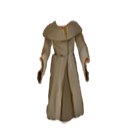
| Main armor |  linen robe (0 def, 0 armour) linen robe (0 def, 0 armour)2.0 T1 cloth armor [Normal] While equipped: ----- def ----- Resists +7% all A cloth vestment. It offers no intrinsic protection but can be enchanted. |
| In off hand |  mossy mindstar (3-3 power, 12 apr, nature damage) mossy mindstar (3-3 power, 12 apr, nature damage)3.0 T1 mindstar 1H weapon [Normal] Nature Power 3.0 - 3.3 Nature Uses 50% Wil, 30% Cun Mastery Psiblades Acc+ +0.2% crit chance (max 25%) Acc uses Wil Apr +12 Crit +2.5% Atk.spd 100% While equipped: dps ---------- Mind.crit +1% Mind.pwr +2 (+1 eff.) ---------- misc Talents +1 Attune Mindstar Mindstars are natural products. Natural gems covered in living matter, they are used to focus the mental powers of all nature defenders and psionics. Using mindstars in the offhand does not incur the normal offhand damage penalty. |
| Light source |  brass lantern brass lantern2.0 T1 lite [Normal] While equipped: ---------- misc Light +3 A brass container with a wick emerging from it, protected from draughts by a sheet of greased paper. It can be carried by a handle. |
| In main hand | mossy mindstar (3-3 power, 12 apr, nature damage) 3.0 T1 mindstar 1H weapon [Normal] Nature Power 3.0 - 3.3 Nature Uses 50% Wil, 30% Cun Mastery Psiblades Acc+ +0.2% crit chance (max 25%) Acc uses Wil Apr +12 Crit +2.5% Atk.spd 100% While equipped: dps ---------- Mind.crit +1% Mind.pwr +2 (+1 eff.) ---------- misc Talents +1 Attune Mindstar Mindstars are natural products. Natural gems covered in living matter, they are used to focus the mental powers of all nature defenders and psionics. Using mindstars in the offhand does not incur the normal offhand damage penalty. |
Inventory
 Scrying Orb Scrying Orb1.0 orb [Plot Item] Unknown While carried: This orb will automatically identify items you find. |
 Transmogrification Chest Transmogrification Chest2.0 sher'tul chest [Plot Item] Unknown While carried: Transmogrify all the items in your chest at once (also done automatically when you change level). Uses 0 power out of 1000/1000 This chest is an extension of old Sher'tul places of power. Any items dropped inside are transported to an other place, processed and destroyed to extract energy. The byproduct of this effect is the creation of gold, which is useless to process, so it is sent back to you. When you possess the chest all items you walk upon will automatically be put inside and transmogrified when you leave the level. Simply go to your inventory to move them out of the chest if you wish to keep them. Items in the chest will not encumber you. |
Achievements
Log
Character control switched to player.
--------------------------------
Accepted quest 'Echoes of the Spellblaze'! (Press 'j' to see the quest log)
Showing big healthbars and tactical borders.
Today is the 74th Pyre of the 122nd year of the Age of Ascendancy of Maj'Eyal.
The time is 11:01.
--------------------------------
Saving done.