
Reformat Item Description (non-intrusive)
Reformat Item Description (non-intrusive)
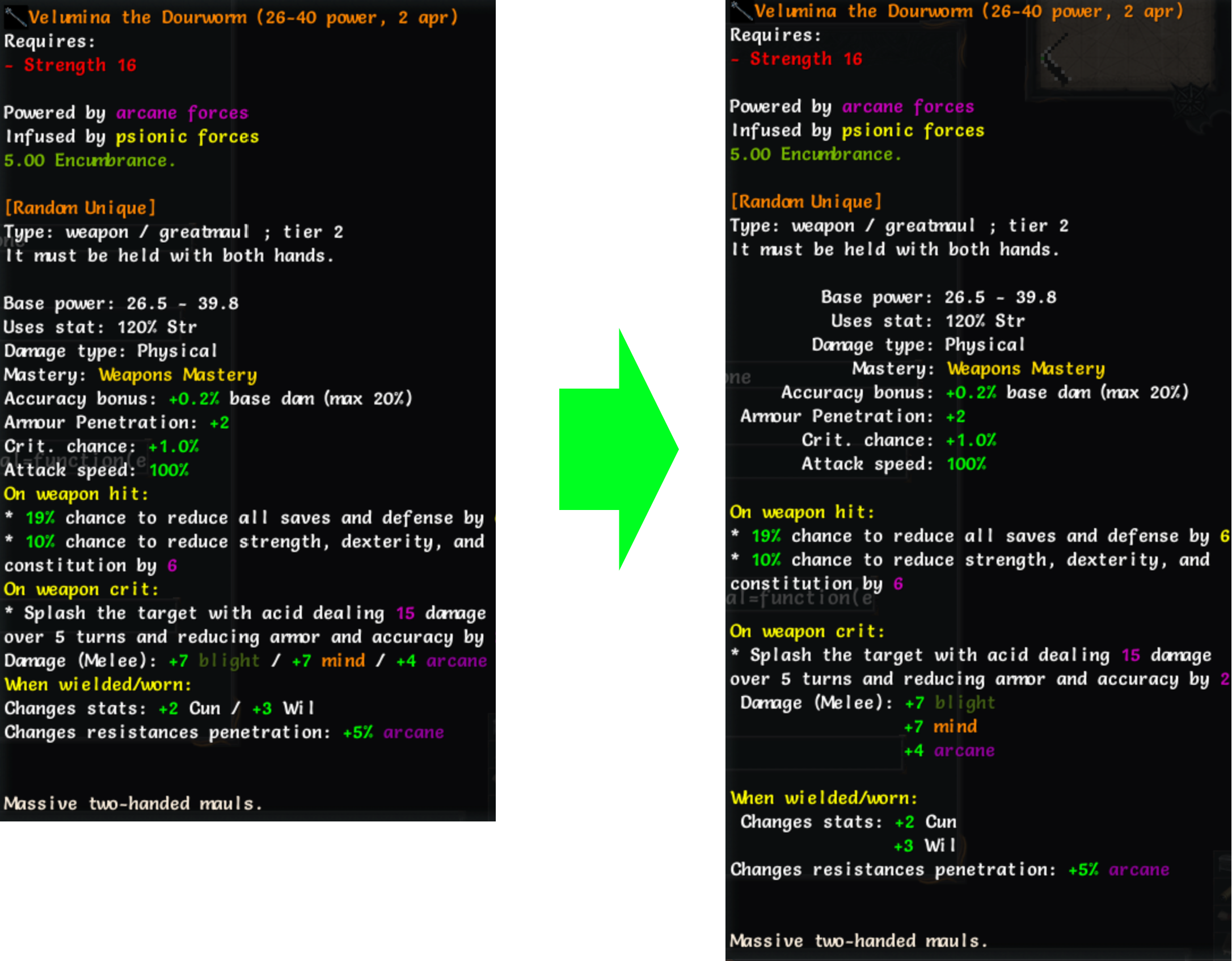
This extension reformats item description text so the keys in key: value lines align, improving readability.
Unlike some similar addons, this one is non-intrusive and does not modify the original description code.
Hold the Alt key while hovering over an item to view the original, unformatted description.
Notes
- This plugin increases the item tooltip width by 50%.
- Properties with keys longer than 25 characters are not reformatted, to prevent excessive wrapping.
Contributions, bug reports, and improvements are welcome: GitHub repository
Version history
1.0.3

- 'CTRL' and 'ALT' modifiers now work together, allowing simultaneous toggling of compare and reformatted text.
1.0.2
- Revert tooltip width to default, apply 50% width increase to item tooltips only.
1.0.1
- Remove additional empty line when description starts with section headers.
- Make 'ALT' behave like 'CTRL' when pressed and released.
1.0.0
- Initial commit of 'tome-reformat-item-description'.
