
Additional Combat Details (non-intrusive)
Additional Combat Details (non-intrusive)
- This addon is work in progress. See features below.*
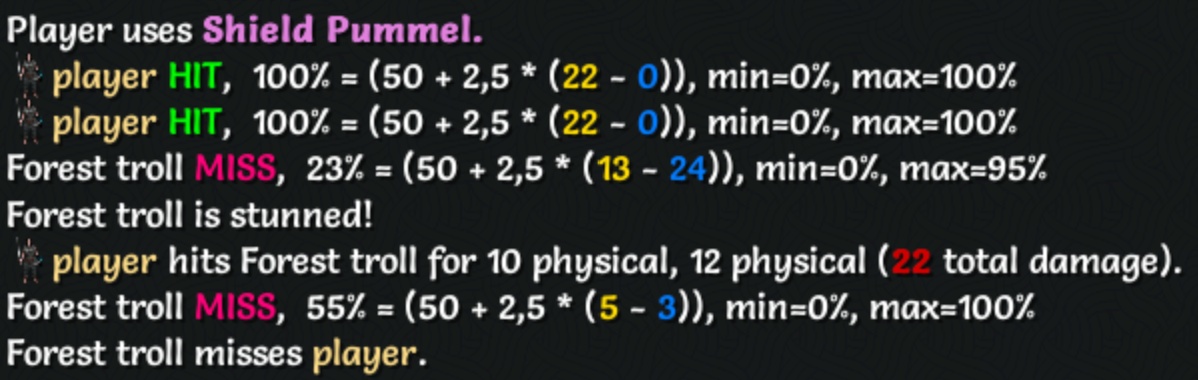
This addon provides a compact, non-intrusive display of detailed combat information.
The display is intentionally lightweight and lives in the log area so it complements existing UI and other addons while giving a clearer, turn-by-turn narrative of what happened during combat.
Features
- Shows to-hit-chance for players and enemies: (50 + 2,5 * ( attacker_accuracy - defender_defense))
Contributions, bug reports, and improvements are welcome at https://github.com/cmtjk/tome-additional-combat-details.
Version History
1.0.1

- Refine to-hit chance message: include the '%' symbol and display min/max values.
1.0.0
- Initial release of 'tome-additional-combat-details'.
Combat Turn Separators (non-intrusive)
Combat Turn Separators (non-intrusive)
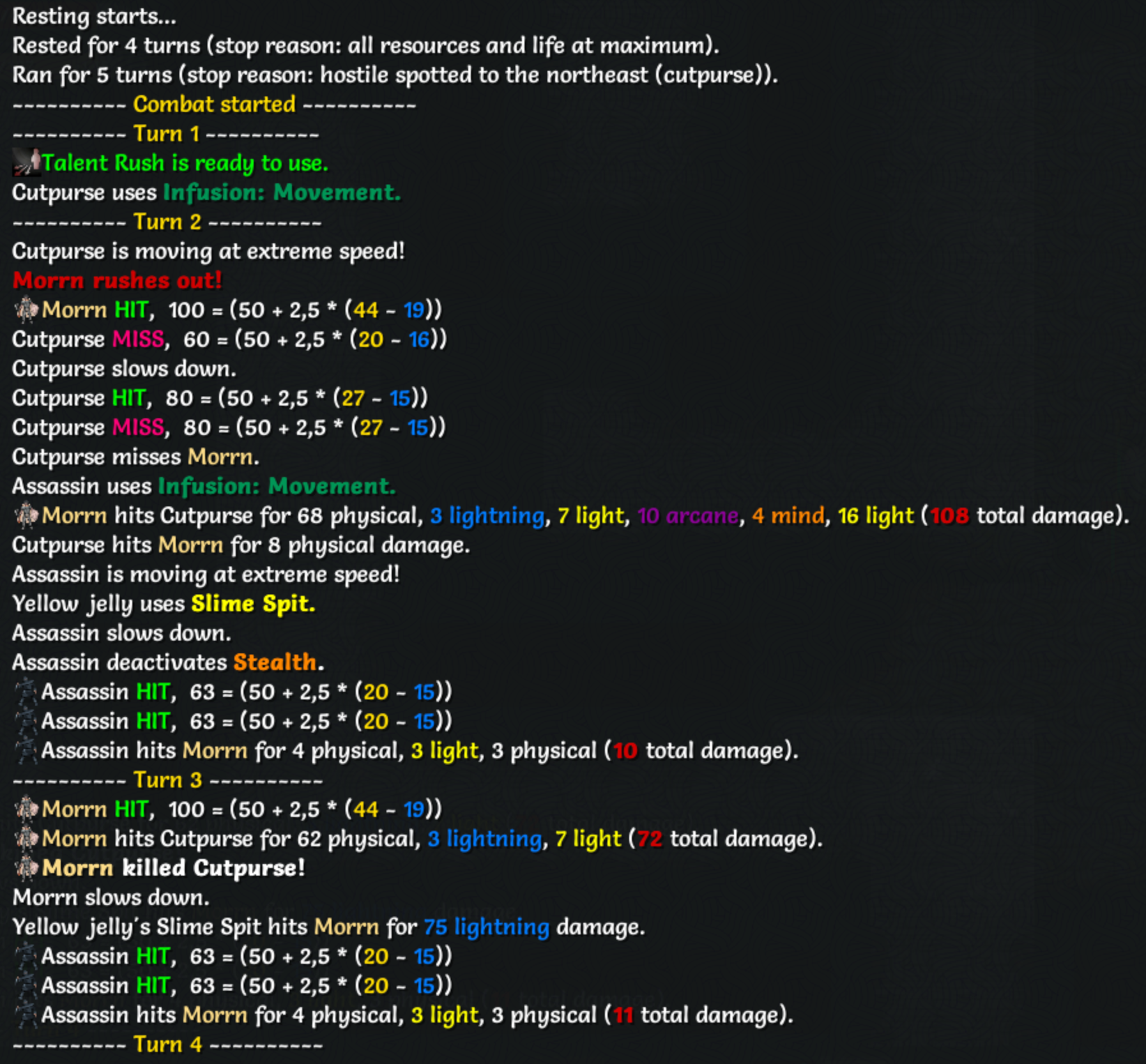
This addon provides a compact, non-intrusive display of combat turn information in the game log. It helps you follow fights by showing turn counts and recent turn activity.
The display is intentionally lightweight and lives in the log area so it complements existing UI and other addons.
Notes
- Combat turns refer to player turns, i.e., each time the player gets to act.
- Combat state is determined by the player’s internal in_combat status which lasts a few additional turns after the last enemy is defeated.
- This addon removes blank lines from the log.
Contributions, bug reports, and improvements are welcome at https://github.com/cmtjk/tome-combat-turn-separators.
Version history
1.0.0

- Initial release of 'tome-combat-turn-separators'.
Add Combat Turn Separator
Add Combat Turn Separator
Reformat Item Description (non-intrusive)
Reformat Item Description (non-intrusive)
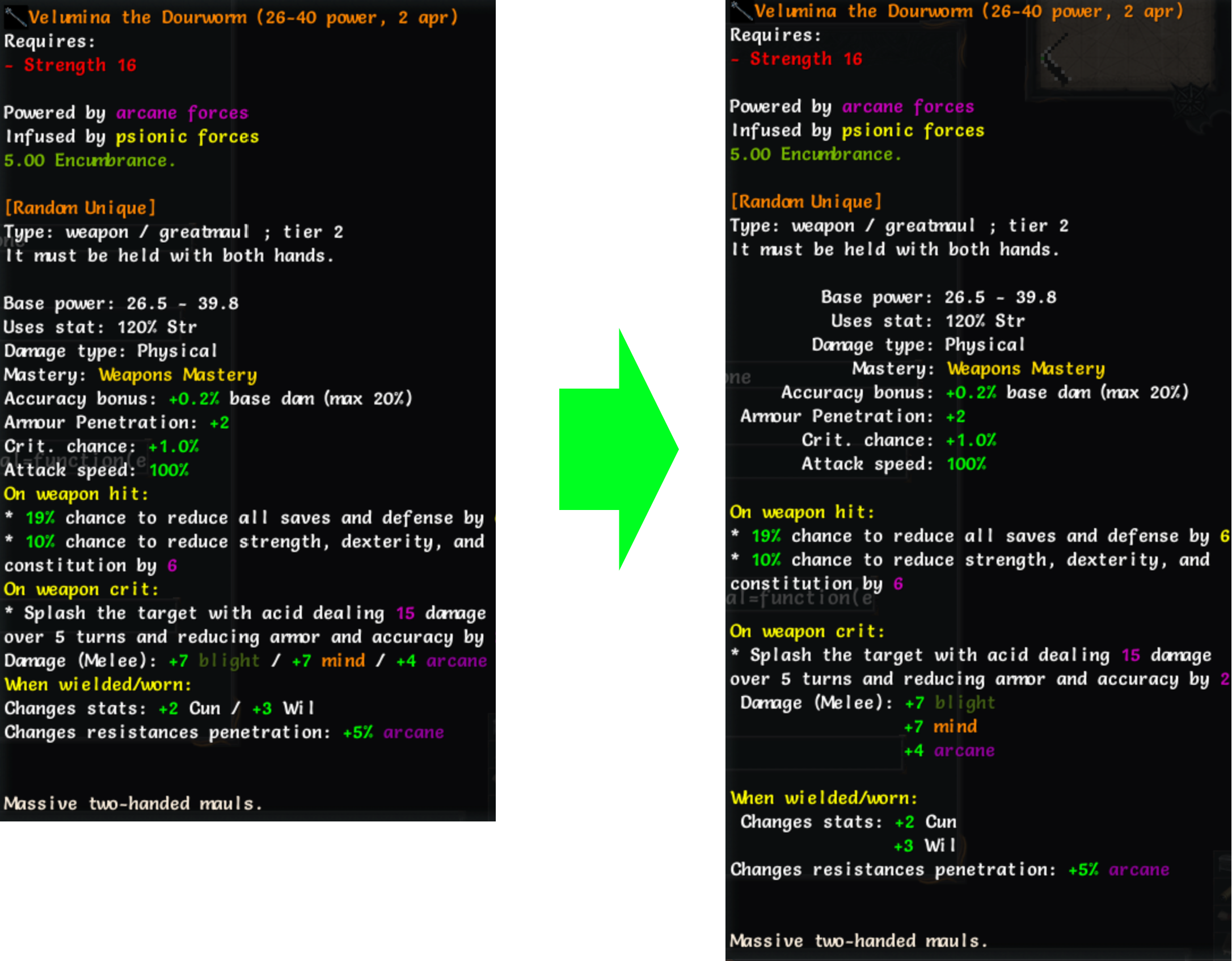
This extension reformats item description text so the keys in key: value lines align, improving readability.
Unlike some similar addons, this one is non-intrusive and does not modify the original description code.
Hold the Alt key while hovering over an item to view the original, unformatted description.
Notes
- This plugin increases the item tooltip width by 50%.
- Properties with keys longer than 25 characters are not reformatted, to prevent excessive wrapping.
Contributions, bug reports, and improvements are welcome: GitHub repository
Version history
1.0.3

- 'CTRL' and 'ALT' modifiers now work together, allowing simultaneous toggling of compare and reformatted text.
1.0.2
- Revert tooltip width to default, apply 50% width increase to item tooltips only.
1.0.1
- Remove additional empty line when description starts with section headers.
- Make 'ALT' behave like 'CTRL' when pressed and released.
1.0.0
- Initial commit of 'tome-reformat-item-description'.
