

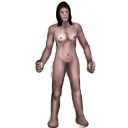


Character
| Game | Tales of Maj'Eyal: Age of Ascendancy 1.7.6 |
| Addons | Grey Out Unusable Items 1.7.2This addon shows inventory items in dark grey if they have a power source incompatible with your character. Arcane items are greyed out for antimagic characters, and arcane disrupting items are greyed out for characters with arcane abilities. Never accidentally break your spells again! Escorts Enhanced 1.7.0Various enhancements to escort quest NPCs: Ignore Campaign/Difficulty Locks 1.1.0Modifies the character creation dialog to bypass the lock check for campaigns and difficulty levels, allowing characters to play campaigns and difficulty levels that you haven't unlocked. Doesn't actually unlock anything. Possessor Bonus Class 1.7.4Donators/Buyers bonus! Clean UI 1.7.2Replaces default interface styles with cleaner versions to enhance readability. First release focuses primarily on replacing everything related to the default interface styles in the base game. Future releases will enhance individual styles and take care of minor tweaks. Content consists of only graphic assets to try and have the highest possible compatibility with future patches. Opague Tooltips 1.5.5Tired of messy looking tooltips, or squinting when trying to read them? Squint no more!! This mod removes the transparency of the tooltips, making them easier to read! Ignore Race/Class Locks 1.7.0Modifies the character creation dialog to bypass the lock check for races and classes, allowing characters to be created using locked races and classes. Doesn't actually unlock anything. Frequently Asked Questions:
[License note: This addon uses a modified version of an image by Lorc from Game-icons.net, pursuant to the Creative Commons CC-BY-3.0 license.] Lumberjack on the Map 1.7.0Places the Cursed Village event on the map as a lumberjack NPC rather than an undetectable encounter. A companion piece to Melinda on the Map and Merchant on the Map; they can be used together or separately. Merchant on the Map 1.7.0Places the Lost Merchant event on the map as a zone entrance rather than an undetectable encounter. A companion piece to Melinda on the Map; they can be used together or separately. Myth's Minimalist UI 1.5.10This addon changes several user interface elements to provide a more open and cleaner overall appearance.
+++ This addon only works for new characters, unless you edit your save file+++ Instructions for save file editing: Locate your save folder - (Generally in C:\users\*username*) ( The name of you save folder inside your *username* directory is T-Engine ) BACKUP YOUR T-Engine folder TO A SAFE LOCATION - ( You can copy and paste it on your desktop ) Inside your *username* directory, open your T-Engine folder Locate the line that looks like the following: Add inside the { } the following 'myth-minimalist-ui' so that it now looks like: ( Keep in mind the above will look different based on what addons you have installed ) Save your desc.lua and exit the file. Plenum Tooltip Custom Edit 1.7.4Plenum ToolTip Custom Edit: Enhanced Plenum tooltip display for ToME version 0.3 for ToME 1.6.1 This addon replaces the normal tooltip for actors in TOME with a more detailed description of monster abilities and characteristics. It adds to the standard tooltip detailed information on speed, main-hand, off-hand, and ranged damage, and damage modifiers and extra crit power, including damage penetration and damage affinities, plus retaliation damage, depending on what options are selected (from a tab in Game Options menu). This makes it much easier to inspect multiple monsters and quickly identify the most threatening. By holding a meta-key (ctrl, alt, or shift) and hovering the mouse over a monster, information on its status immunities and talents is displayed. In addition, information on temporary terrain features (like smoke and darkness) and map effects (from spells and the like) will be displayed in the terrain tooltip if the appropriate options are enabled. This addon is originally developed by Hachem_Muche and continued by sSs1897. version changes: version 2.7 for ToME 1.5.0: -- updated for cold flames custom edit version 0.1 for ToME 1.6.1: version 0.2: version 0.3: version 0.4: ZOmnibus Addon Pack 1.7.4Combines several smaller utility addons, both for convenience and potentially reduced resource usage on smaller machines. Includes the following addons:
A superset of ZOmnibus Lite. Frequently Asked Questions:
License note: This addon uses images (or modified versions thereof) from Game-icons.net, pursuant to the Creative Commons CC-BY-3.0 license. In particular, we use images from the following authors: Showing Items Tier in Inventory 1.7.2This addon add a column to inventory which show items Tier and allows sorting to show higher Tier first There is an option under "Game Setting"->UI->Sort Items by Tier by default items which is going to be transmo- and of type scroll (rune,infusion..), tinker or other without Tier specified will be placed at the top of the inventory to avoid occasional transmo of valuables This mod is safe to use without starting new game Nekarcos's Quality of Life 01: Effect Display (GOLDEN) 1.7.6This is a stand-alone Quality of Life pack that improves some minor things about ToME gameplay.
Melinda on the Map 1.7.0Places the Sect of Kryl-Feijan event on the map as a zone entrance rather than an undetectable encounter. Items Vault 1.7.6Donators/Buyers bonus! Always Transmogrify 1.7.4Removes the transmogrify confirmation dialogue box and additionally allows tagged objects to be transmogrified. Post Effects fixes 1.7.2The addon improves gamefield view during different post effects Here is details about what been changed: Faster Run/Rest/Explore 1.0.6Important: this addon will have no effect if left unconfigured! Please read the description! Recommended settings:hit escape -> video options
Description:Enables faster run/resting by use of FPS dividers. These dividers simply divide the game's requested FPS by their respective values while resting or running. After starting a new game or loading a saved character, configure this addon by hitting escape -> video options. Setting these dividers to something greater than one can substantially reduce the amount of time required to finish resting/running on older computers. Just be careful when resting on an escort mission... Changelog:See the forum discussion for the changelog. Somebody shut that dog up 1.0.5Removes certain ambient sound effects: Friendly Patrols 1.7.4Changes Maj-Eyal & Far East world map patrols to always be friendly by altering their faction (and hate for arcane magic). Select your Escorts 1.7.0Allows you to choose which escorts you will encounter at the start of the game. There is an option to choose a random escort in case you just wanted to guarantee some unlocks before continuing with the base game's behavior. Note: You're only supposed to be able to choose the lost tinker once. (Must have the Embers of Rage DLC and unlocked by playing in the Orcs campaign) To reach me faster, please leave a message on the Steam Workshop page. I don't get notifications on te4.org so I may take longer to reply. Improved Auto-explore and Rest 1.7.2Quality of Life improvements for resting and auto-exploring. v3.5.0 *** FOR ToME v1.6.5 *** It is recommended to turn off Marson's Rest and Auto-Explore as well as C.Lowe's Rest Tweaks if using. This addon is meant to include all of them. Latest Update Notes: Existing Features: Determines how auto-explore and running respond to telepathy, including mouse moves. Regardless of the setting, hostiles seen via telepathy will not halt resting or the Rod of Recall, nor trigger automated talents. Unique or powerful monsters (rank > 3) will always trigger a halt to running when they are spotted via telepathy for any mode except 'Original'. Available modes: • 'Always Viligant' always stops running when a hostile creature is seen via telepathy. • 'Original' is standard ToME auto-explore behavior, which ignores telepathy when running or auto-exploring. • Compatible with ToME v1.6.0 Notes: • Telepathy will not prevent auto-exploring the way normal sight will. If a halt is triggered by telepathy, hitting auto-explore again will move you at least one more square in the direction of the auto-explore path. If in 'Always Viligant' mode and a hostile is within telepathic sight (but not normal sight), you will auto-explore in 1 square per keypress increments. Improved Enemy UI 1.7.41. improve the default shockbolt of enemy, making them brighter and easier to find. Turn Separators v2 1.6.0Description I just fixed OoDChecker. This was good idea with update mod in a time, but ... Original Turn Separators mod by Codefly Installation: Remove: or make it easy in game: :::::::::::::::::::::::::::::::::::: РУС ::::::::::::::::::::::::::::::::::: Описание Это моя улучшенная версия оригинального мода. Убрана проверка версии клиента. Замечали когда-нибудь, что новые строки в журнале битвы не всегда соответствуют концу своего хода? Этот мод помещает "------" между строками хода, что бы можно было легче визуально отделить минувшую очередь действий. Мод по прежнему добавляет разделитель между игровыми ходами для большей наглядности. Установка: Удаление: или в игре: Easy Map v2 1.6.0Description Original Easy Map mod by Codefly This addon replaces ToME's map display with one that's more in-line with other games. You can drag the mouse to scroll, use the mouse wheel to zoom in and out, and left-click to set the currently viewed area (instead of accidentally traveling there, which can still be done via right-click menu). It also shows the viewport rectangle on the map, and if your computer is powerful enough, you can even show the actual terrain instead of the confusing color blocks, or make the walls red to easily find paths you have yet to explore. The player and zone exits are also displayed as icons on the map. Additionally, if you travel via the map and stop unexpectedly (i.e., you ran into your golem), a friendly dialog will pop up asking if you'd like to continue to your destination. Installation: Remove: or make it easy in game: :::::::::::::::::::::::::::::::::::: РУС ::::::::::::::::::::::::::::::::::: Описание Обновление: Я просто пофиксил чекер версии мода и убрал всплывающее окошко о новой версии игры и изменил цвет легенды на черный Мод заменяет карту игры на нечто более схожее с другими играми. Вы можете перемещать карту мышкой, приближать или отдалять карту колесиком и устанавливать текущий обзор левым кликом мыши (вместо того, что бы случайно переместиться туда, как было ранее). Карат способна отображать реальную местность ландшафта и окрашивать непроходимые места в красный цвет, что бы проще найти дорогу. Установка: Удаление: или в игре: Better Item Description 1.7.4This addon makes items description easier to read and determine on a glance it's usefulness Most important thing to remember it's not recommended to use this mod if you'r new to the game EquipDoll - Clean Item Names 1.7.2Makes clearer view of EuipDoll by replacing item egos list with actual name, and tuning a font a bit Improved Combat Text v2 1.6.0Description Original Improved Combat Text mod by Codefly This addon replaces ToME's floating combat text: Installation: Remove: or make it easy in game: :::::::::::::::::::::::::::::::::::: РУС ::::::::::::::::::::::::::::::::::: Описание Upd: Я просто исправил ошибки чекера. Мод корректно работает на новых версиях игры. Этот аддон заменяет всплывающий текст боя в игре: Установка: Удаление: или в игре: |
| Campaign | Maj'Eyal |
| Mode | Tutorial Adventure |
| Sex | Female |
| Race | Tutorial Basic |
| Class | Tutorial Adventurer |
| Level / Exp | 2 / 71% |
| Size | medium |
| Lifes / Deaths | Killed by large brown snake at level 2 on the 74th Pyre 122nd year of Ascendancy at 14:14 1 / 5Killed by large white snake at level 2 on the 74th Pyre 122nd year of Ascendancy at 14:31 Killed by large brown snake at level 2 on the 74th Pyre 122nd year of Ascendancy at 15:04 Killed by large brown snake at level 2 on the 74th Pyre 122nd year of Ascendancy at 15:30 Killed by Lone Wolf at level 2 on the 74th Pyre 122nd year of Ascendancy at 22:47 |
Primary Stats
| Strength | 20 (base 20) |
| Dexterity | 18 (base 18) |
| Constitution | 15 (base 15) |
| Magic | 20 (base 20) |
| Willpower | 15 (base 15) |
| Cunning | 15 (base 15) |
Resources
| Life | 134/134 |
| Stamina | 116/116 |
| Healing Factor | 1.0460311219418 |
| Regeneration | 1.0460311219418 |
Speed
| Mental | 0% |
| Attack | 0% |
| Movement | -66.666666666667% |
| Spell | 0% |
| Global | +100% |
Vision
| Sight | 10 |
| Lite | 3 |
Offense: Mainhand
| Damage | 29 |
| Accuracy | 33 |
| Crit Chance | 4% |
| APR | 2 |
| Speed | 1.00 |
Offense: Offhand
| Damage | |
| Accuracy | |
| Crit Chance | |
| APR | |
| Speed |
Offense: Spell
| Spellpower | 20 |
| Crit Chance | 2% |
| Speed | 1 |
Offense: Mind
| Mindpower | 16 |
| Crit Chance | 2% |
| Speed | 1 |
Defense: Base
| Armour (hardiness) | 4 (30%) |
| Defense | 8 |
| Ranged Defense | 8 |
| Fatigue | 14 |
| Physical Save | 12 |
| Spell Save | 12 |
| Mental Save | 10 |
Defense: Immunities
| Instadeath Resistance | 100% |
Inscriptions (0/3)
Class Talents
| Technique / Shield offense | 1.30 |
| 1/5 |
| 0/5 |
| 0/5 |
| 0/5 |
| Technique / Shield defense | 1.30 |
| 1/5 |
| 0/5 |
| 0/5 |
| 0/5 |


Generic Talents
| Technique / Combat training | 1.30 |
| 0/5 |
| 2/5 |
| 0/5 |
| 2/5 |
| 2/5 |
| 0/5 |


Effects
| detrimental effect | There is no gravity here; you float in the air. Movement is three times as slow, and any melee or archery blows have a chance to knockback. Maximum encumbrance is greatly increased. Zero Gravity |
Quests
You must venture in the heart of the forest and kill the Lone Wolf, who randomly attacks villagers. Tutorial | active |
Equipment
| Main armor |  rough leather armour (3 def, 2 armour) rough leather armour (3 def, 2 armour)9.0 T1 light armor [Normal] While equipped: ----- def ----- Armour +2 Defense +3 (+3 eff.) Fatigue +6% A suit of armour made of leather. |
| In off hand |  iron shield (0 def, 2 armour, 8-10 power, 18 block) iron shield (0 def, 2 armour, 8-10 power, 18 block)7.0 T1 shield armor Reqs Shield usage training [Normal] When used to Attack: Power 8.5 - 10.2 Physical Uses 100% Str Acc+ +2.0% proc dam (max 200%) Crit +2.5% Block +18 While equipped: ----- def ----- Armour +2 Fatigue +8% ---------- misc Talents +1 Block Handheld deflection devices. |
| Light source |  brass lantern brass lantern2.0 T1 lite [Normal] While equipped: ---------- misc Light +3 A brass container with a wick emerging from it, protected from draughts by a sheet of greased paper. It can be carried by a handle. |
| In main hand |  iron longsword (12-17 power, 2 apr) iron longsword (12-17 power, 2 apr)3.0 T1 longsword 1H weapon [Normal] Power 12.0 - 16.8 Physical Uses 100% Str Mastery Weapons Mastery Acc+ +0.4% crit mult (max 40%) Apr +2 Crit +2.5% Atk.spd 100% Sharp, long, and deadly. |
Inventory
 healing infusion (heal 45; cd 15) healing infusion (heal 45; cd 15)0.1 infusion scroll [Normal] Nature When inscribed on your body: Level 0.0 Use mode Activated Range melee/personal Cooldown 15 Travel.spd instantaneous Usage Speed Instant (0% of a turn) Is a nature gift Description: Activate the infusion to instantly heal yourself for 45 then cleanse 1 wound, poison, and disease effect. Inscribe your skin with the infusion. Natural infusions may be grafted onto your body, granting you an on-demand nature talent. |
| regeneration infusion (heal 60; 15 cd) 0.1 infusion scroll [Normal] Nature When inscribed on your body: Level 0.0 Use mode Activated Range melee/personal Cooldown 15 Travel.spd instantaneous Usage Speed Standard (100% of a turn) Is a nature gift Description: Activate the infusion to heal yourself for 60 life over 5 turns. Inscribe your skin with the infusion. Natural infusions may be grafted onto your body, granting you an on-demand nature talent. |
 shielding rune (absorb 50; dur 3; cd 18) shielding rune (absorb 50; dur 3; cd 18)0.1 rune scroll [Normal] Arcane When inscribed on your body: Level 0.0 Use mode Activated Range melee/personal Cooldown 18 Travel.spd instantaneous Usage Speed Instant (0% of a turn) Is a spell Description: Activate the rune to create a protective shield absorbing at most 50 damage for 3 turns. Inscribe your skin with the rune. Magical runes may be inscribed onto your body, granting you an on-demand spell talent. |
Achievements
Log
Nerybeth misses Lone Wolf.
Nerybeth is not dazed anymore.
Lone Wolf hits Nerybeth for 12 physical damage.
Lone Wolf hits Nerybeth for 12 physical damage.
--------------------------------
Nerybeth hits Lone Wolf for 26 physical damage.
Lone Wolf hits Nerybeth for 13 physical damage.
--------------------------------
Nerybeth hits Lone Wolf for 33 physical damage.
Lone Wolf hits Nerybeth for 13 physical damage.
--------------------------------
Nerybeth hits Lone Wolf for 28 physical damage.
Lone Wolf hits Nerybeth for 13 physical damage.
--------------------------------
Nerybeth hits Lone Wolf for 33 physical damage.
Lone Wolf hits Nerybeth for 12 physical damage.
--------------------------------
Lone Wolf performs a melee critical strike against Nerybeth!
Nerybeth hits Lone Wolf for 25 physical damage.
Lone Wolf hits Nerybeth for 20 physical damage.
Nerybeth the level 2 tutorial basic tutorial adventurer was decapitated to death by Lone Wolf on level 1 of Tutorial.
--------------------------------
You enter a zero gravity zone, beware!
From the brink of death you seem to be yanked to another plane.
Lone Wolf killed Nerybeth!